
How To Turn Off Those Annoying Full Screen Video Adverts On The Firestick / Fire TV Home Page
How To Turn Off Those Annoying Full Screen Video Adverts On The Firestick / Fire TV Home Page
If you use an Amazon Fire TV Stick, you’ve probably noticed the full-screen video adverts that automatically play on the home screen. These autoplay trailers and promotions can be intrusive, especially when you’re just trying to browse apps or quickly launch something to watch.
While you can’t remove ads from Fire TV completely, there are simple settings you can change to significantly reduce how disruptive they are.
Why Firestick Shows Full-Screen Ads
Amazon uses the Fire TV home screen to promote content from its own services, such as Prime Video, as well as third-party apps. These ads often appear as large banners that automatically start playing video with sound.
This is part of Amazon’s wider strategy to highlight content and keep users engaged within its ecosystem—but for many users, it just feels like unnecessary clutter.
This video will show you step by step how to turn off those annoying full screen adverts on the Home Page on your Firestick or Fire TV device.
Please Subscribe to the channel
What This Fix Actually Does
It’s important to understand that this doesn’t remove ads entirely. Instead, it stops them from taking over your screen with motion and audio.
You’ll still see banners and promoted content, but they’ll remain static, making the interface much less distracting and easier to navigate.
Additional Tips to Improve Your Fire TV Experience
If you want to go a step further, you can also:
- Reorganise your apps so your favourites appear first
- Use the Apps section instead of the home screen
- Launch apps directly using voice commands
These small changes can help you avoid the ad-heavy areas of the interface altogether.
Final Thoughts
Full-screen video ads on Firestick can be frustrating, but thankfully they’re easy to tame. By disabling autoplay video and audio, you can make the home screen far less intrusive while still keeping access to all your favourite apps.
It’s a quick fix that makes a big difference—and once you’ve done it, you’ll wonder why you didn’t change it sooner.
An Amazon Fire stick can be used to watch great content from many providers, as long as you have a TV with HDMI input port, and decent a decent stable internet connection with a wifi signal from your router.
Buy an Amazon Firestick
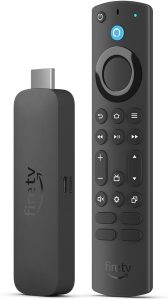
Fire TV Stick 4K Max is the latest “fire tv stick”, and is very popular as it is a lot faster than previous versions.
Link for Amazon Fire TV Devices
#firestick #adverts #ads, #firetv, #firetvdevice, #firestick #firestick4k, #firestickuk, #firestick4kmax,#amazonfirestick
Comments
How To Turn Off Those Annoying Full Screen Video Adverts On The Firestick / Fire TV Home Page — No Comments
HTML tags allowed in your comment: <a href="" title=""> <abbr title=""> <acronym title=""> <b> <blockquote cite=""> <cite> <code> <del datetime=""> <em> <i> <q cite=""> <s> <strike> <strong>