
Casting vs Mirroring to Your TV : What’s the Difference ?
If you’ve ever streamed content from an iPad, iPhone, Android mobile phone, or tablet to your TV, you’ve probably seen options for casting or screen mirroring. While they may seem similar, they work in very different ways. Understanding the difference can help you improve picture quality, reduce buffering, and choose the best method for your setup.
Both methods allow you to display content from a device onto your television, but the technology behind them is quite different.
What Is Casting?
Casting sends a command from your device — such as an Android phone, tablet, or sometimes even a laptop — to your TV or streaming device. Instead of sending the video itself, your device tells the TV where to find the video online.
For example, when you tap the Cast icon in apps like YouTube or Netflix on your phone or tablet, your smart TV (or a streaming device like a Chromecast) connects directly to the streaming service using its own internet connection.
Your mobile phone or iPad then acts more like a remote control.
This means:
You can lock your phone or iPad and playback continues
You can use other apps while the TV keeps playing
Video quality is typically better
There’s very little delay
Your device battery drains more slowly
Casting works best within supported apps and is common on Android devices and TVs with built-in Chromecast support.
What Is Screen Mirroring?
Screen mirroring duplicates your entire device screen onto the TV in real time.
If you mirror from an iPhone or iPad using AirPlay, or from an Android phone using Smart View or screen share, the TV shows exactly what appears on your device’s screen.
That includes:
Notifications and pop-ups
Menu navigation
App switching
Screen rotation
If you lock your phone or tablet, the mirrored display usually stops.
Because mirroring sends a live video feed of everything happening on your device, it uses more Wi-Fi bandwidth and battery power. You may also notice slight lag, especially on weaker wireless networks.
Side-by-Side Comparison
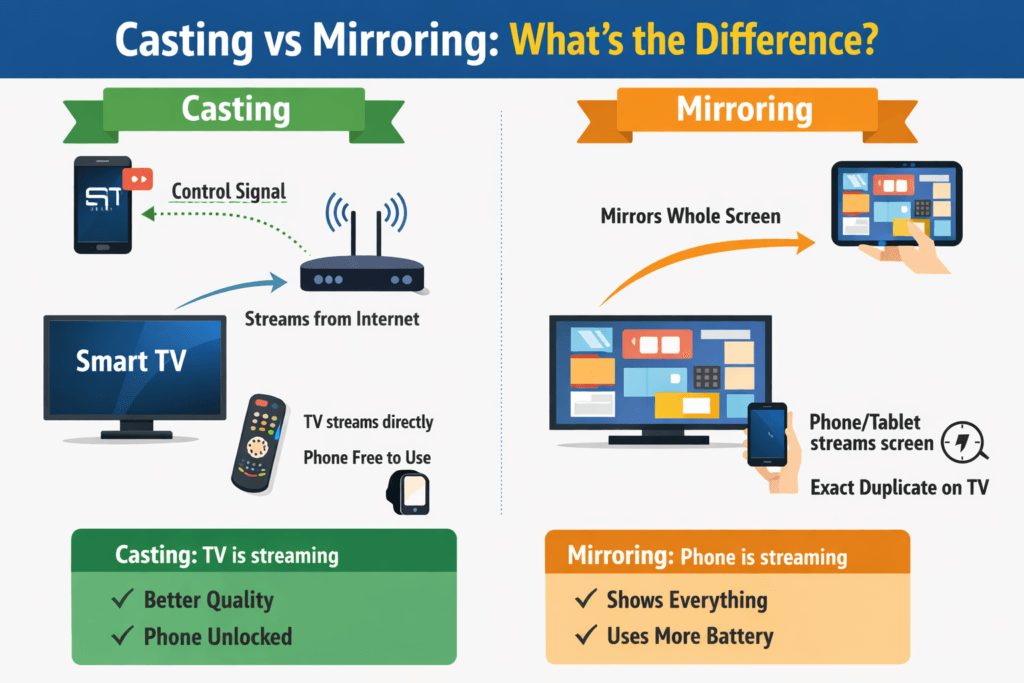
| Feature | Casting | Mirroring |
|---|---|---|
| Who streams the video? | TV streams directly | Phone or tablet streams screen |
| Can you lock the device? | Yes | No |
| Video quality | Usually higher | Can drop slightly |
| Lag | Minimal | Can be noticeable |
| Shows full device screen? | No | Yes |
Which Should You Use?
If you’re watching Netflix, YouTube, or similar apps from your iPhone, iPad, Android phone or tablet, casting is usually the better option. It’s more stable, delivers better quality, and doesn’t tie up your device.
However, if you want to display something not supported by casting — such as a website, a presentation, an IPTV app, or personal photos — screen mirroring is the better choice.
In simple terms: casting is ideal for streaming apps, while mirroring is best for sharing your whole screen.
Knowing the difference helps you get the best performance from your TV and avoid unnecessary buffering or connection issues.
Comments
Casting vs Mirroring to Your TV : What’s the Difference ? — No Comments
HTML tags allowed in your comment: <a href="" title=""> <abbr title=""> <acronym title=""> <b> <blockquote cite=""> <cite> <code> <del datetime=""> <em> <i> <q cite=""> <s> <strike> <strong>